Google Calendar MCP server: scoped access for every agent
A Google Calendar MCP server lets an AI agent list your calendars, check free/busy time, and create, move or delete events through the Model Context Protocol. Google runs an official remote server in developer preview, and AIPx ships a ready Google Calendar connector: sign in with Google once, then give Claude, ChatGPT, Codex or Cursor one MCP URL with Allow, Confirm or Hide set on every calendar tool.
What your agent can do with Google Calendar
AIPx wraps the official Google Calendar API v3 as MCP tools (OpenAPI to MCP). GET operations are reads. Everything else counts as a write, including free/busy, which is a POST that only checks availability.
| Tool | What it does | Access | Mode |
|---|---|---|---|
| calendar_calendarlist_list | List calendars on the account | read | Allow |
| calendar_calendarlist_get | Read one calendar list entry | read | Allow |
| calendar_calendars_get | Read calendar metadata and time zone | read | Allow |
| calendar_events_list | List events in a time range | read | Allow |
| calendar_events_get | Read one event | read | Allow |
| calendar_events_instances | List instances of a recurring event | read | Allow |
| calendar_freebusy_query | Busy intervals across calendars | write | Allow |
| calendar_events_insert | Create an event | write | Confirm |
| calendar_events_quickadd | Create an event from a text phrase | write | Confirm |
| calendar_events_patch | Change only the fields passed | write | Confirm |
| calendar_events_update | Replace an event; fields not passed are cleared | write | Confirm |
| calendar_events_move | Move an event to another calendar | write | Confirm |
| calendar_events_delete | Delete an event | write | Hide |
That's 21 operations after exclusions. The other 8 sit outside the scopes AIPx requests, calendar.readonly and calendar.events. ACL, event import, watch channels and user settings are excluded entirely.
Capability snapshot: 14 October 2026 · provider source
Scheduling needs broad context but narrow authority. AIPx is an MCP gateway, so you set that split once for every client.
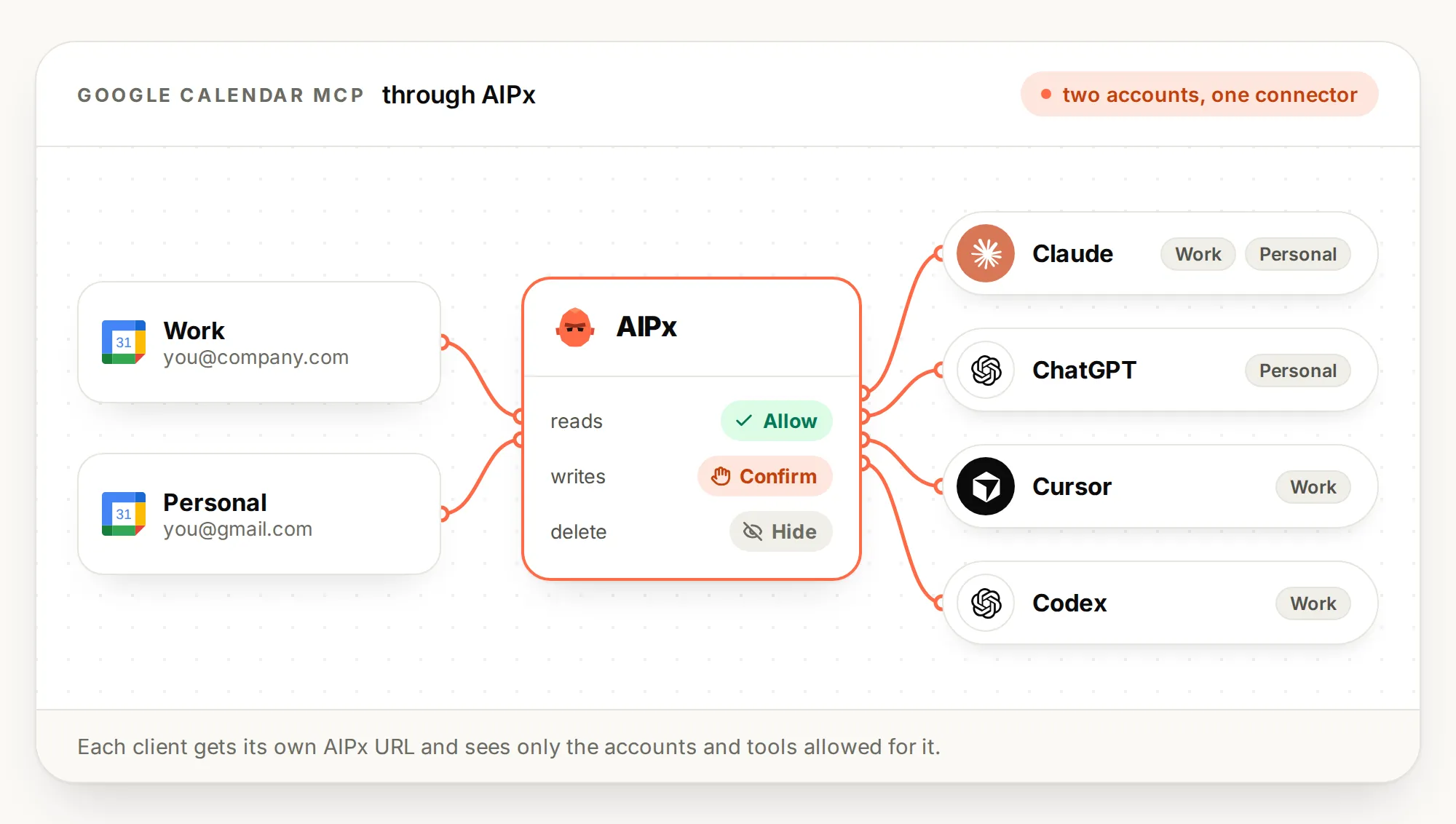
Google Calendar MCP server permissions: reads on Allow, writes on Confirm
Per-tool MCP permissions start reads on Allow and writes on Confirm, so a planning agent can hunt for slots without edit authority. Move calendar_freebusy_query to Allow right away, or the agent asks before every slot search.
Insert keeps Confirm because it can invite attendees. Quick-add too: Google parses “next Friday”, not the model.
The limitation: Confirm is a hint to the client, not a lock in the gateway. Clients that honor it ask first. AIPx doesn’t pause the call, so a client that ignores the hint just runs it. That’s why delete goes on Hide.
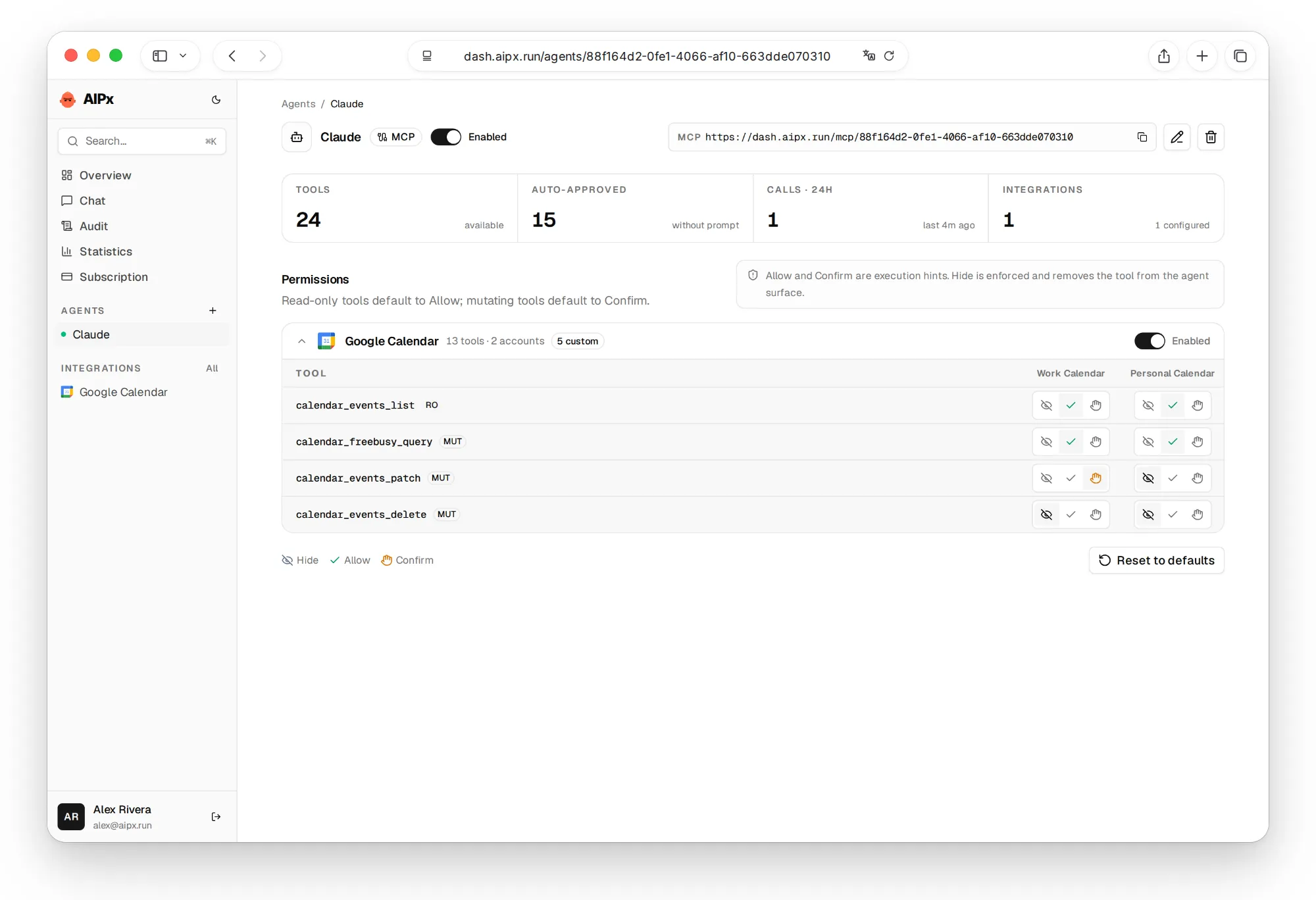
Connect Google Calendar to Claude, ChatGPT or Cursor
Connect Google to AIPx once, then paste one URL into each client. Clients sign in to AIPx, not Google.
- In the AIPx dashboard: Integrations → Google Calendar → Connect, sign in with Google. No Cloud project needed (MCP OAuth).
- Your agents → Create agent → MCP. Enable Google Calendar, set modes, save.
- Copy the endpoint, e.g.
https://dash.aipx.run/mcp/your-agent.
Google Calendar in Claude Code
claude mcp add --transport http --scope user aip https://dash.aipx.run/mcp/your-agentRun /mcp, pick aip and authorize in the browser. See Claude Code MCP and Anthropic’s docs.
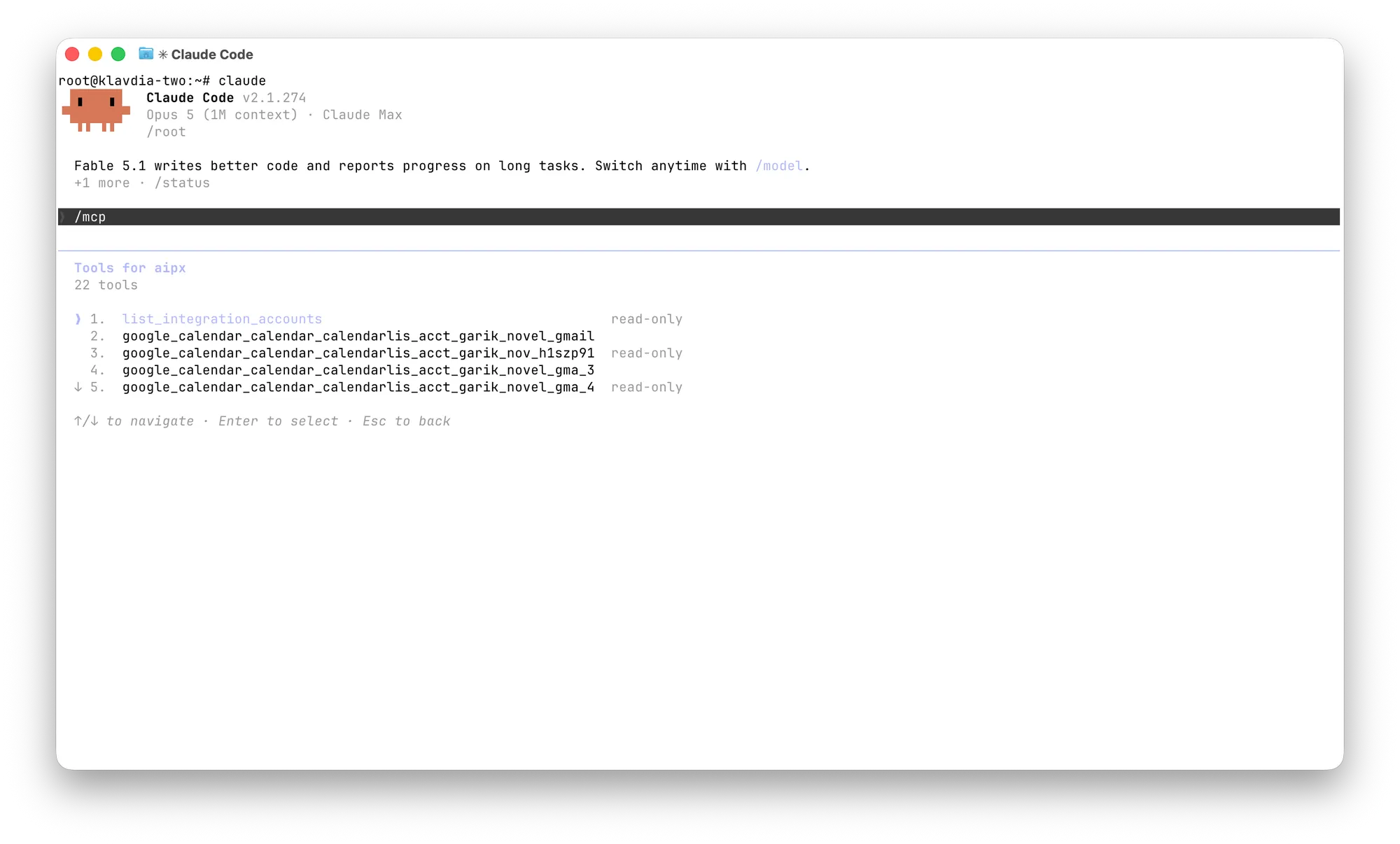
Connect Google Calendar to Claude
Customize → Connectors → ”+”, paste the URL, Connect, sign in to AIPx. On Team and Enterprise only admins can add connectors (Claude MCP setup, Claude Desktop MCP).
Claude also has its own Google Calendar connector there, and for claude.ai with one account it’s enough. A Claude AI Google Calendar integration through AIPx pays off when Claude Code, Cursor or Codex need the same rules, or you have two accounts.
Connect Google Calendar to ChatGPT
Add the AIPx URL as an app in Developer mode. Availability and write support depend on your plan (OpenAI’s guide). Inside ChatGPT alone, its built-in Google Calendar connector is simpler. More in ChatGPT MCP server setup.
Connect Google Calendar to Cursor or Codex
Cursor reads ~/.cursor/mcp.json or .cursor/mcp.json:
{ "mcpServers": { "aip": { "url": "https://dash.aipx.run/mcp/your-agent" } } }codex mcp add aip --url https://dash.aipx.run/mcp/your-agent
codex mcp login aipSee Cursor MCP and Codex MCP. No tools? Check the URL comes from an MCP agent and nothing you need is on Hide.
Google Calendar MCP options compared
| Google’s official server | nspady/google-calendar-mcp | Built-in Claude/ChatGPT connector | AIPx | |
|---|---|---|---|---|
| Setup | Cloud project, 2 APIs, OAuth client | Own OAuth client, npx per machine | One click | Google sign-in |
| Status | Developer preview | Community, MIT | Built in | Available |
| Works in | Remote clients | Local clients (stdio) | That app only | Any MCP client, OpenAPI |
| Per-agent modes | No | Config filtering | No | Yes |
Google’s server suits you if you already have a Cloud project and one client, and it has suggest_time and respond_to_event, which AIPx lacks. nspady handles several accounts, but in test mode its tokens expire every 7 days, a good reason to prefer a remote MCP server. For iCloud, see Apple Calendar for Claude. Google warns about indirect prompt injection, so treat event descriptions as untrusted.
Use a work and a personal Google Calendar in one agent
Both accounts sit in one connector with separate modes: personal gets only calendar_events_list and calendar_freebusy_query, work also gets insert and patch on Confirm. The audit log shows which account each call hit. Free covers 3 accounts and 1 agent, enough for both calendars plus a Gmail MCP server. Pro is $3 a month (AIPx pricing). The same agent can pull meeting notes from the Granola MCP server and file follow-ups in Linear MCP or Notion MCP. Browse all AIPx integrations or the MCP server catalog.
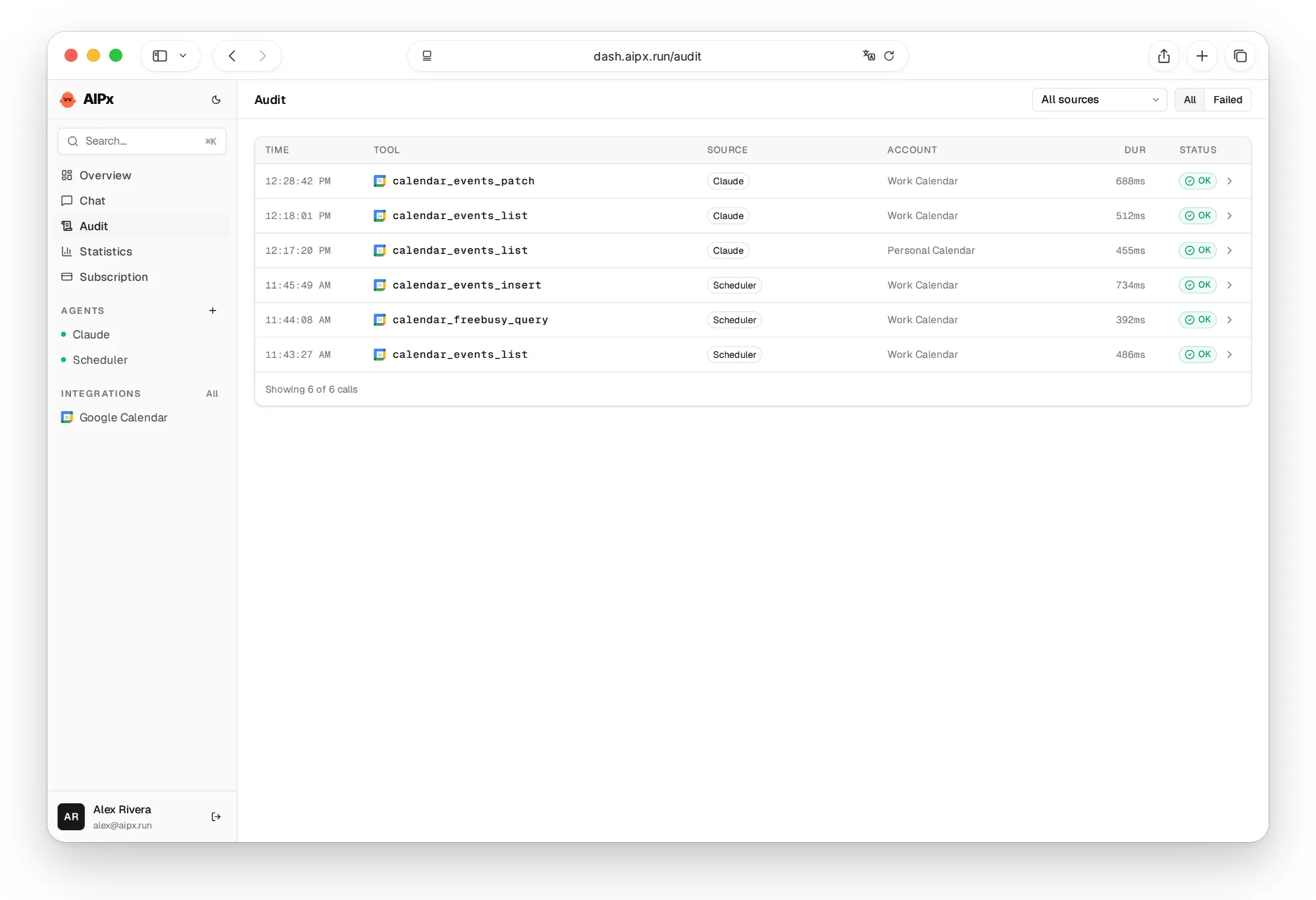

What to ask your agent
Before any write, ask for event IDs, timezones and conflicts, and prefer patch, since update drops fields the agent didn't pass:
FAQ
Is there an official Google Calendar MCP server?
Yes. Google runs calendarmcp.googleapis.com/mcp/v1 in developer preview with 9 tools, which needs your own Cloud project and OAuth client. AIPx is a separate connector over the Calendar API, no Cloud project, and here's what an MCP server is.
How do I connect Google Calendar to Claude?
Connect Google Calendar in AIPx, create an MCP agent and copy its URL. Add it as a custom connector in claude.ai, or run claude mcp add in Claude Code and authorize via /mcp.
How do I connect Google Calendar to ChatGPT?
Use ChatGPT's built-in connector, or add the AIPx agent URL in Developer mode to share permissions with other clients. Developer mode depends on your plan.
Which Google account does Claude use for Google Calendar login?
You sign in to Google once, in AIPx. Claude logs in to AIPx and sees only the accounts and tools allowed for its agent.
Can an agent delete or change my Google Calendar events?
Only if you allow it. Edits default to Confirm, and delete belongs on Hide, since Confirm relies on the client. ACL and calendar settings aren't exposed.