Sentry MCP server: scoped access for every coding agent
Sentry MCP is the official Model Context Protocol server from Sentry, hosted at mcp.sentry.dev, that lets Claude Code, Cursor, Codex and other AI agents search issues, read events and traces, and run Seer analysis over OAuth. AIPx connects that server once and gives each agent its own URL, with reads on Allow and issue updates behind Confirm.
What your agent can do with Sentry
Nine direct tools, six of them reads. The other 48 of the server's 57 operations sit behind search_sentry_tools and execute_sentry_tool.
| Tool | What it does | Access | Mode |
|---|---|---|---|
| find_organizations | Your organizations | read | Allow |
| find_projects | Projects in an organization | read | Allow |
| search_issues | Search issues in plain language or Sentry syntax | read | Allow |
| search_events | Search events and replays, with counts | read | Allow |
| get_sentry_resource | Fetch an issue, event or trace by URL or ID | read | Allow |
| search_sentry_tools | Search the remaining operations | read | Allow |
| analyze_issue_with_seer | Seer root cause; starts a 2–5 minute run if none exists | write | Confirm |
| update_issue | Resolve, reopen, assign or ignore | write | Confirm |
| execute_sentry_tool | Run a catalog operation, read or write | write | Hide |
Sentry exposes a compact direct surface plus a searchable catalog of long-tail operations. The visible set varies with Sentry skills and account capabilities.
Capability snapshot: 14 October 2026 · provider source
Look twice at the last row: one mode covers everything from reading a dashboard to delete_uptime_monitor. Source: getsentry/sentry-mcp, version 0.39.0.
Why give Claude Code and Cursor Sentry MCP access
A pasted stack trace drops the release, environment, tags and breadcrumbs. With read tools the agent inspects the issue in place and ties the failing frame to your code. Resolving it is a separate decision. The same URL also carries Supabase MCP and all AIPx integrations.
Connect Sentry MCP to Claude, Claude Code, Cursor or Codex
mcp.sentry.dev is a remote MCP server; per-client setup is in the official Sentry MCP documentation. With AIPx as your MCP gateway, you log in to Sentry once.
Step 1: connect Sentry in AIPx
- In
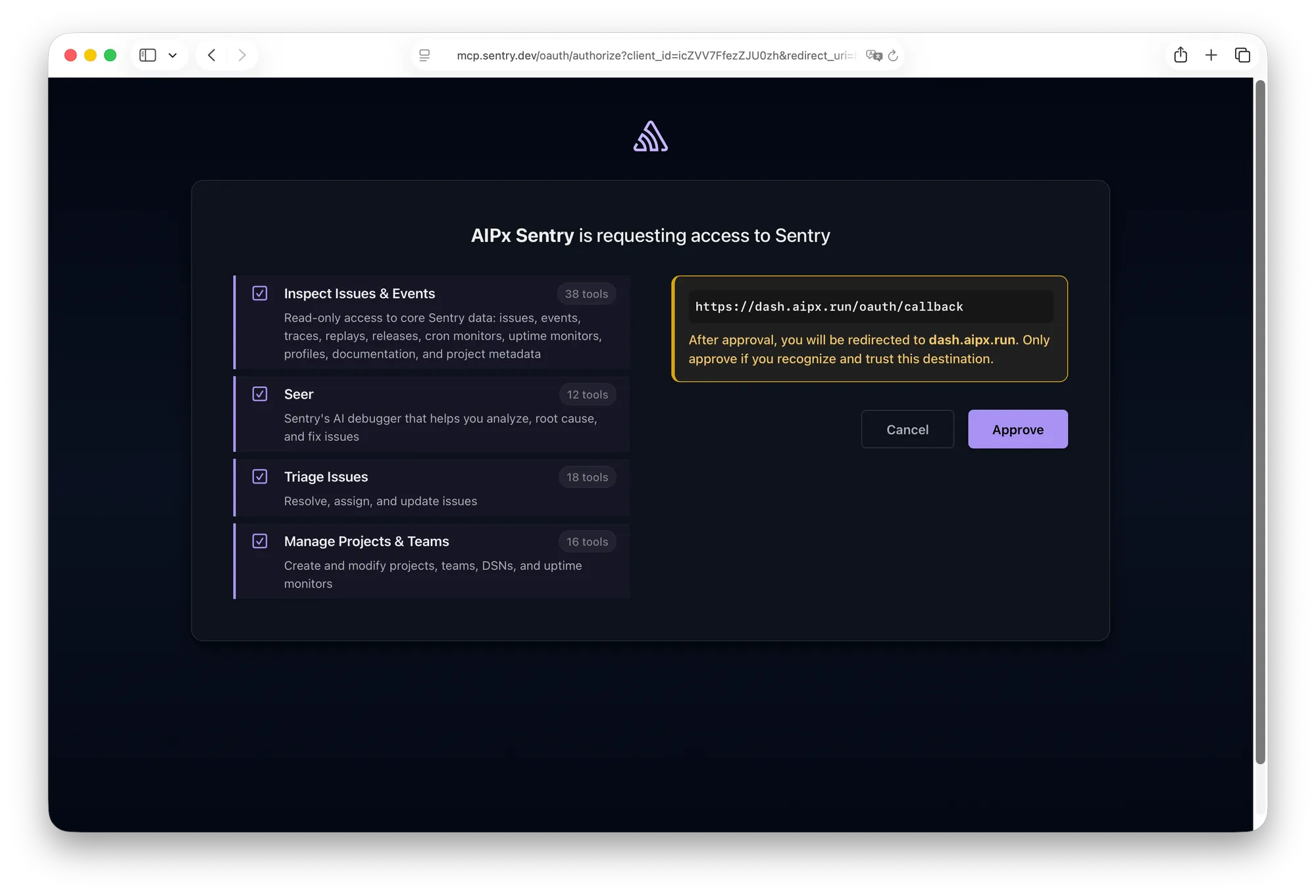
dash.aipx.run, open Integrations → Sentry and finish the MCP OAuth flow. - On Sentry’s consent screen, Inspect and Seer are ticked by default. Tick Triage Issues only if an agent needs
update_issue. - Create an MCP agent, turn on Sentry, set modes, save.
- Copy the endpoint:
https://dash.aipx.run/mcp/<agent>.
Step 2 is the usual trap. Skip Triage Issues and update_issue never shows up, whatever mode AIPx has.
Sentry MCP in Claude Code
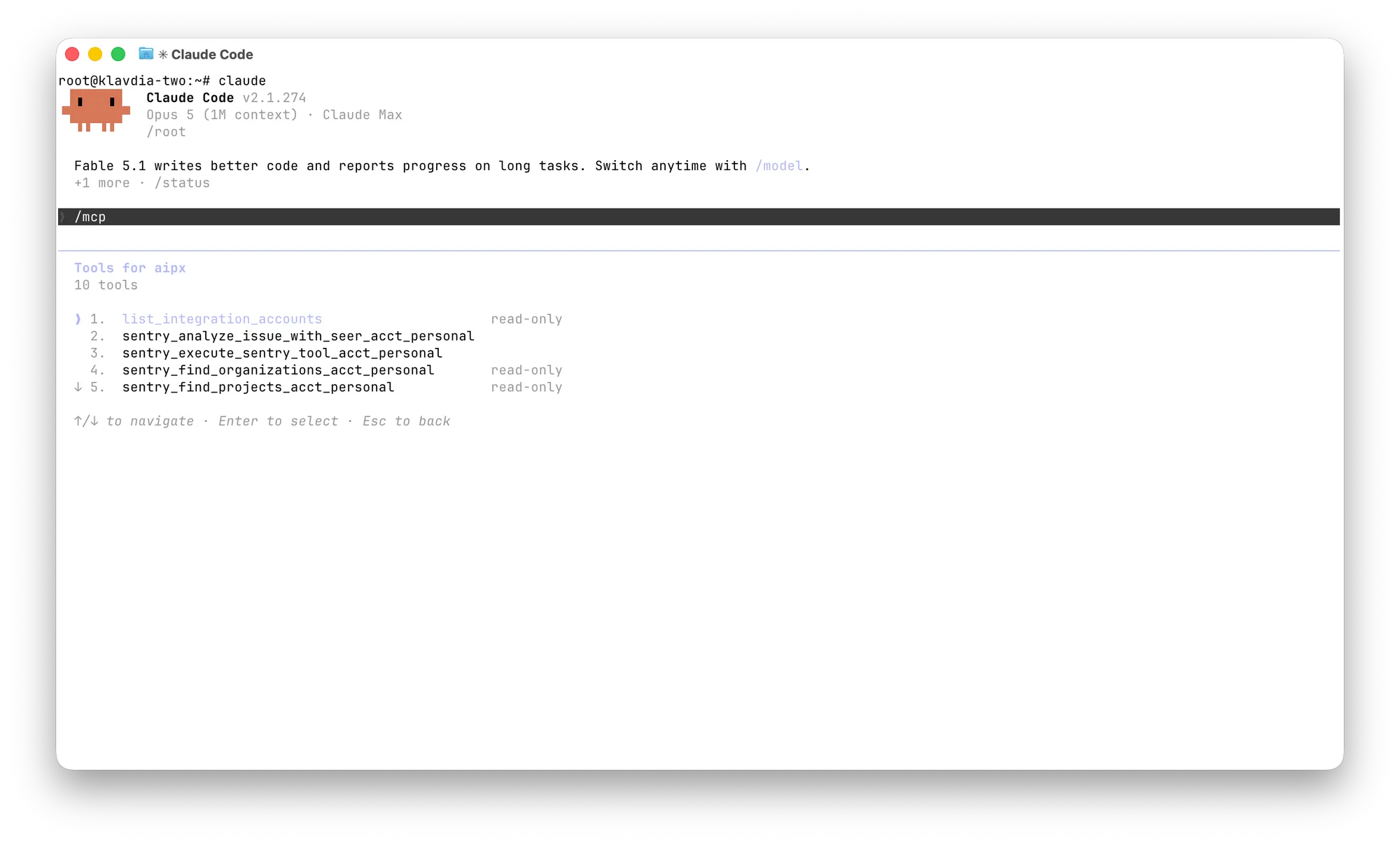
claude mcp add --transport http --scope user aip https://dash.aipx.run/mcp/<agent>Then /mcp, pick aip, authorize. More in Claude Code MCP setup.
Sentry MCP in Cursor
In ~/.cursor/mcp.json:
{
  "mcpServers": {
    "aip": { "url": "https://dash.aipx.run/mcp/<agent>" }
  }
}
See Cursor MCP.
Sentry MCP in Codex
codex mcp add aip --url https://dash.aipx.run/mcp/<agent>
codex mcp login aip
See Codex MCP.
Connect Claude to Sentry
Customize → Connectors → Add custom connector, paste the agent URL. Claude Free allows one custom connector; one AIPx URL fits all your accounts into it. See Claude MCP connectors and Claude Desktop MCP.
Direct Sentry MCP vs through AIPx
| Direct | Through AIPx | |
|---|---|---|
| Setup | OAuth in each client | One Sentry OAuth |
| Permissions | Skills only | Skills plus per-tool, per-agent modes |
| Other services | No | Notion MCP, Cloudflare MCP and more |
| Audit | Per client | One log |
| Self-hosted Sentry | stdio server | Not supported |
Honestly, if Sentry only runs in Claude Code, the direct claude mcp add is simpler.
Scope Sentry MCP per agent
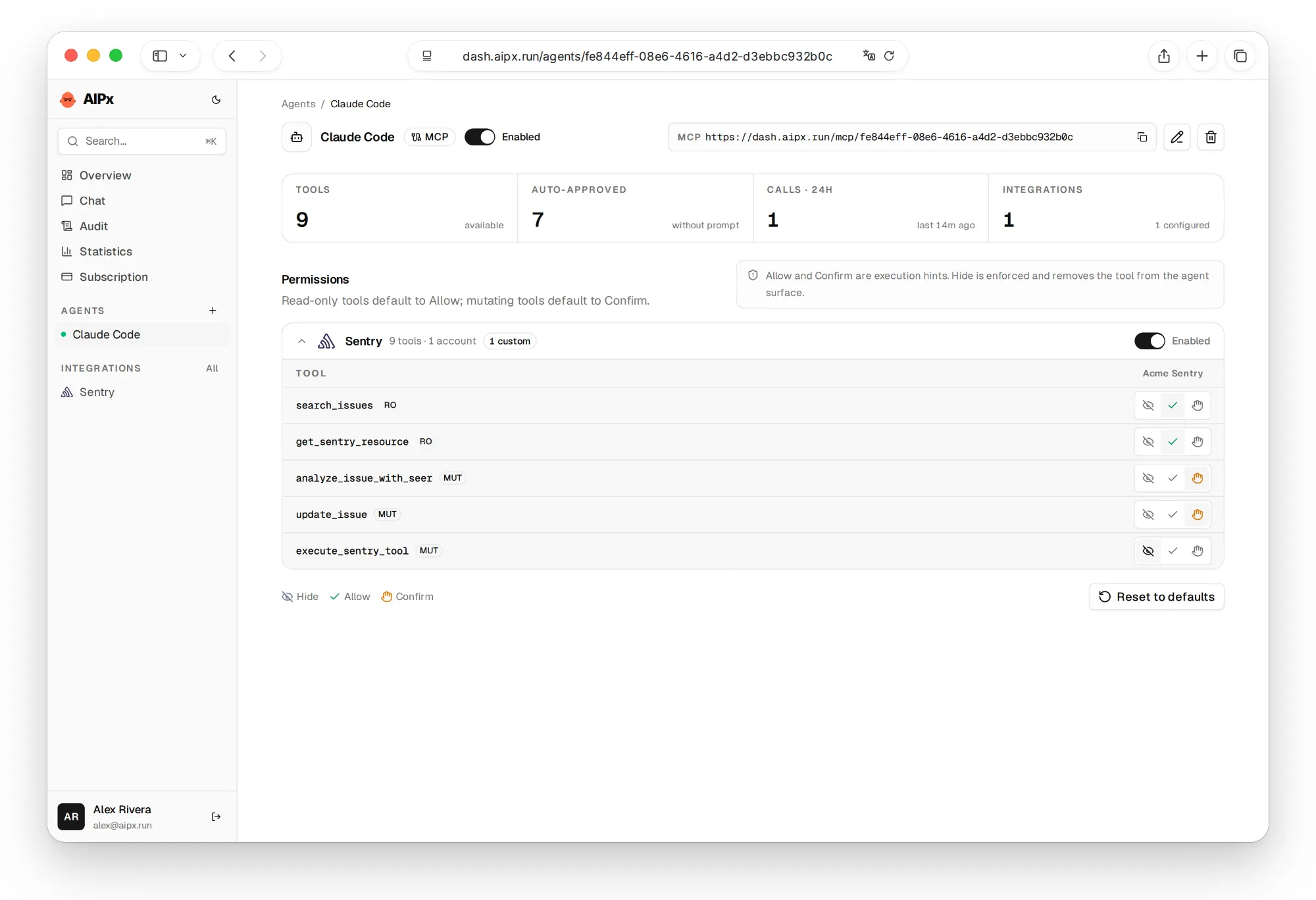
Sentry skills decide what exists; AIPx modes decide what each agent sees, never more than your Sentry user has. See per-tool MCP permissions.
| Tool | Claude Code | Cursor | Triage bot |
|---|---|---|---|
| Reads | Allow | Allow | Allow |
analyze_issue_with_seer | Confirm | Hide | Confirm |
update_issue | Confirm | Hide | Confirm |
execute_sentry_tool | Hide | Hide | Confirm |
Seer stays on Confirm because a loop over new errors can start a dozen runs in an evening, at $40 per active contributor. On the free Developer plan Seer doesn’t work, so hide it.
One limitation: AIPx uses the unscoped https://mcp.sentry.dev/mcp, so no /{org}/{project} pinning. Split by agent. The MCP server catalog shows what else agents can carry.
Two Sentry accounts in one connector
A personal Sentry and a client’s organization fit in one connector, with modes per tool × account × agent. Free: 3 accounts, 1 agent. Pro: $3/month (AIPx pricing).
Close the loop without auto-closing the issue
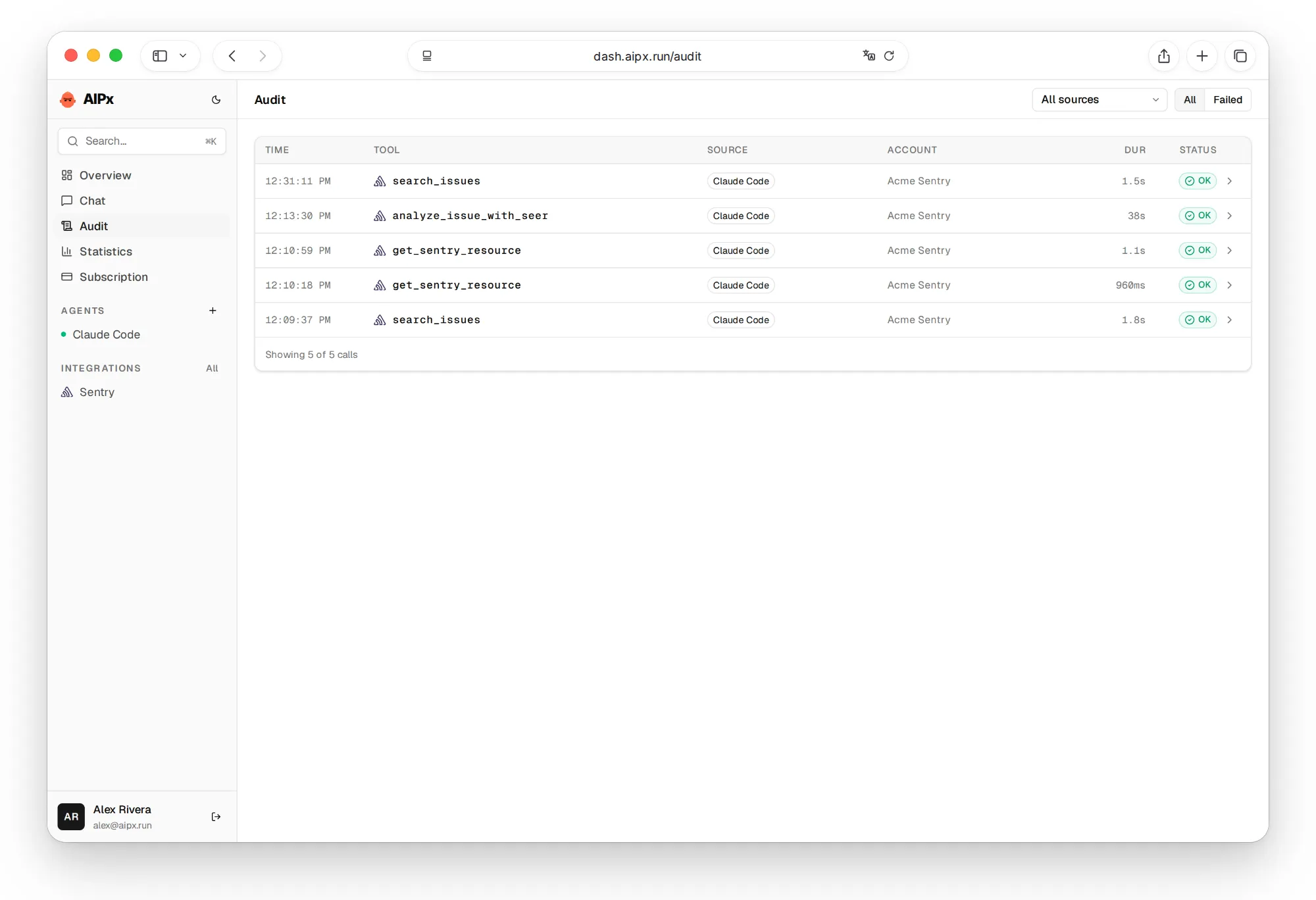
Let the agent read Sentry, test a fix, open a Linear MCP or Jira MCP ticket, check impact in PostHog MCP. The final update should follow evidence, not confidence.
But Confirm is a hint, not a server-side pause. If the client auto-runs tools, the call goes through. Keep client confirmations on and use Hide for anything risky (MCP security).
The Sentry official MCP documentation describes the direct vendor connection and its authorization requirements.

What to ask your agent
Ask for evidence before any state change:
FAQ
What is Sentry MCP?
Sentry's official Model Context Protocol server at https://mcp.sentry.dev/mcp. After OAuth, AI agents can search issues and events, fetch traces and run Seer.
Is there an official Sentry MCP server?
Yes: getsentry/sentry-mcp. The older mcp/sentry Docker image, with one tool get_sentry_issue, isn't it.
How do I add Sentry MCP to Claude Code?
Run claude mcp add --transport http sentry https://mcp.sentry.dev/mcp, then /mcp. Through AIPx, use your agent URL instead.
Is Sentry MCP free?
It works on any Sentry plan. Seer is a paid add-on for Team and Business. AIPx Free covers 3 accounts and 1 agent; Pro is $3/month.
Can Sentry MCP resolve or change issues?
Only with the Triage Issues skill, which enables update_issue. Through AIPx, keep it on Confirm and hide execute_sentry_tool.