Connect WHOOP to Claude: recovery, sleep and strain over MCP
WHOOP can connect to Claude over MCP: AIPx turns the official WHOOP API into tools for reading recovery, sleep, strain and workouts. Connect WHOOP with OAuth, then choose which read tools each agent sees; the requested data scopes do not allow changing your WHOOP records.
What your agent can do with WHOOP
AIPx turns the WHOOP API into MCP tools: 12 read tools and one write tool that revokes OAuth access. All scopes are read-only, so no agent can change your WHOOP data.
| Tool | What it does | Access | Mode |
|---|---|---|---|
| getProfileBasic | Name, email | read | Allow |
| getBodyMeasurement | Height, weight, max HR | read | Hide |
| getCycleCollection | Cycles with day strain | read | Allow |
| getCycleById | Cycle with day strain | read | Allow |
| getRecoveryCollection | Recovery, HRV, resting HR | read | Allow |
| getRecoveryForCycle | Recovery for one cycle | read | Allow |
| getSleepCollection | Sleep and stages | read | Allow |
| getSleepById | One sleep with stages | read | Allow |
| getSleepForCycle | Sleep for one cycle | read | Allow |
| getWorkoutCollection | Workouts, HR zones | read | Allow |
| getWorkoutById | Workout, HR zones | read | Allow |
| getActivityMapping | V2 ID for a legacy V1 activity | read | Hide |
| revokeUserOAuthAccess | Revokes AIPx's WHOOP token | write | Hide |
Capability snapshot: 14 October 2026 · provider source
Connect WHOOP to Claude, Claude Code or Codex
AIPx works as an MCP gateway in front of the WHOOP API. Set it up once, then paste the same URL into each client.
Step 1: connect WHOOP and create an agent in AIPx
- In dash.aipx.run, open Integrations → WHOOP and approve WHOOP’s consent screen.
- Your agents → Create agent → MCP.
- Enable WHOOP, switch
revokeUserOAuthAccessto Hide, save. - Copy the endpoint, e.g.
https://dash.aipx.run/mcp/your-agent.
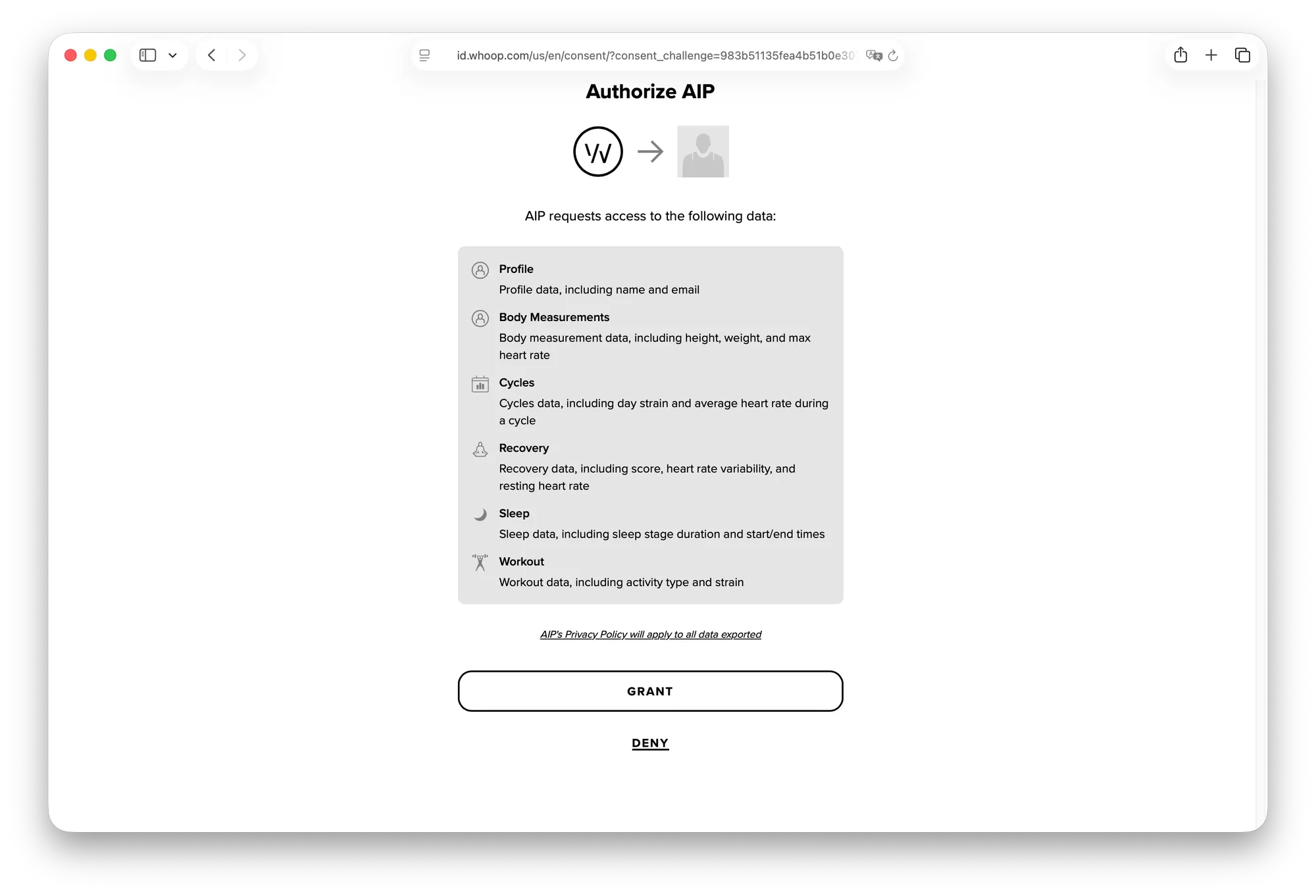
WHOOP authorization and the client’s OAuth for MCP sign-in to AIPx are separate. AIPx uses its own registered WHOOP client and stores the resulting provider credentials.
Connect WHOOP to Claude
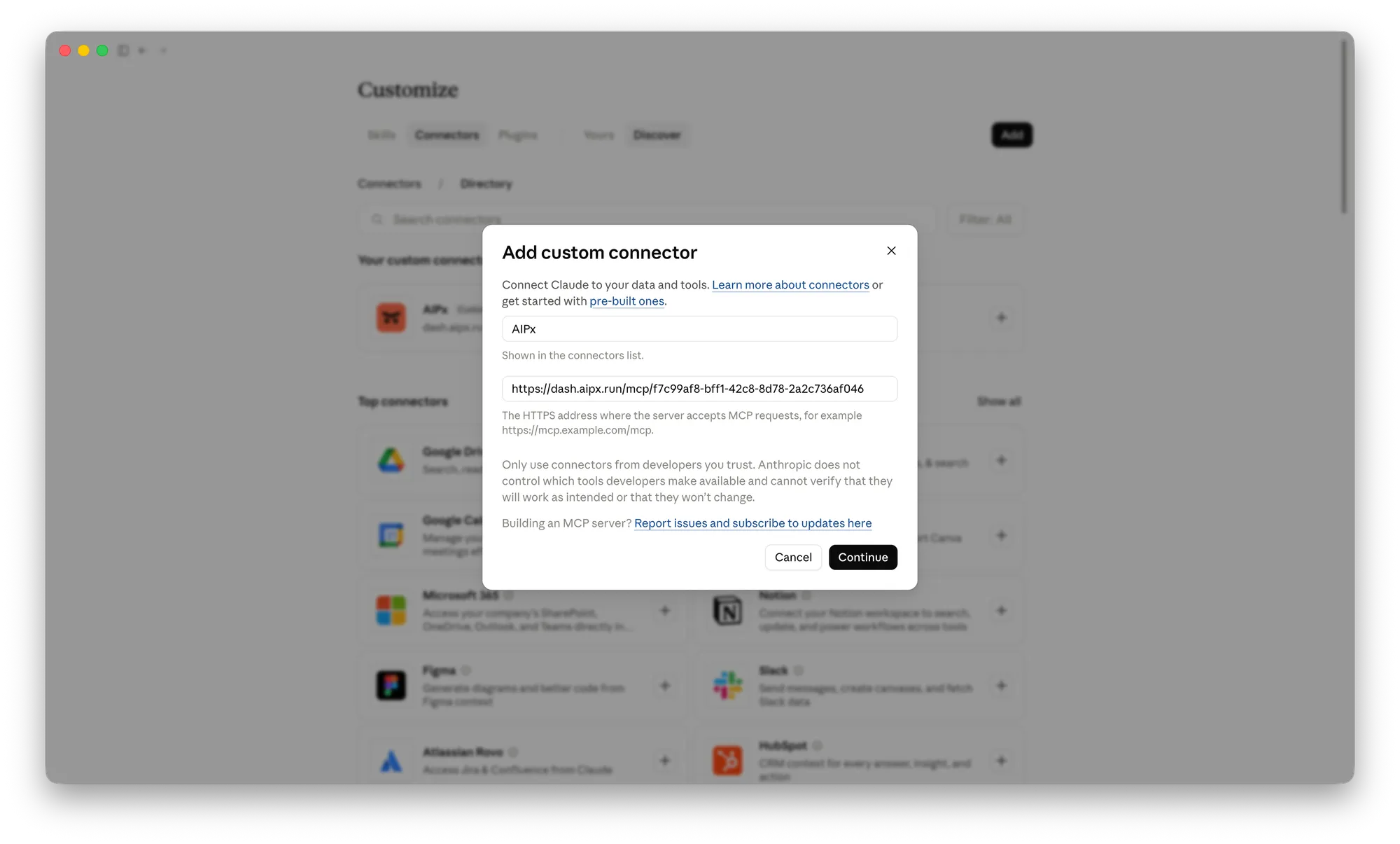
Customize → Connectors → ”+” → Add custom connector, paste the URL, sign in. Claude’s Free plan allows one custom connector, and through AIPx that one carries all your services. See Claude MCP connectors and Claude Desktop MCP setup.
Connect WHOOP to Claude Code
claude mcp add --transport http --scope user aip https://dash.aipx.run/mcp/your-agentRun /mcp, pick aip, log in. We use --scope user because recovery isn’t tied to one project. More in Claude Code MCP setup.
Connect WHOOP to Codex or Cursor
codex mcp add aip --url https://dash.aipx.run/mcp/your-agent
codex mcp login aip
For Cursor, add {"mcpServers": {"aip": {"url": "https://dash.aipx.run/mcp/your-agent"}}} to ~/.cursor/mcp.json. Guides: Codex MCP setup, Cursor MCP setup.
No tools showing? Usually you copied an API agent’s URL, WHOOP isn’t enabled for the agent, or changes weren’t saved. “Needs authentication” means redo /mcp or codex mcp login aip.
WHOOP MCP server options: community, hosted or AIPx
| Self-hosted | Hosted WHOOP-only | AIPx | |
|---|---|---|---|
| Developer app needed | yes | no | no |
| Runs on | your machine | vendor cloud | AIPx cloud |
| Other services, per-agent permissions | no | no | yes |
None of these come from WHOOP. The honest trade-off: with AIPx your token and requests go through AIPx’s cloud. If health data must stay on your laptop, run a self-hosted server with your own developer app (and skip any that store your WHOOP password in a config). If WHOOP is all you need, a hosted WHOOP-only service is fine. AIPx pays off when the same remote MCP server also carries Notion MCP server or Gmail MCP. Browse WHOOP and other AIPx integrations or the MCP servers catalog.
Scope WHOOP per agent
| Agent | Allow | Hide |
|---|---|---|
| Recovery coach in Claude | recovery, sleep, cycles, workouts | body, profile, revoke |
| Coding agent in Claude Code | getRecoveryCollection, getSleepCollection | everything else |
| Training log agent | workouts, cycles, body | profile, revoke |
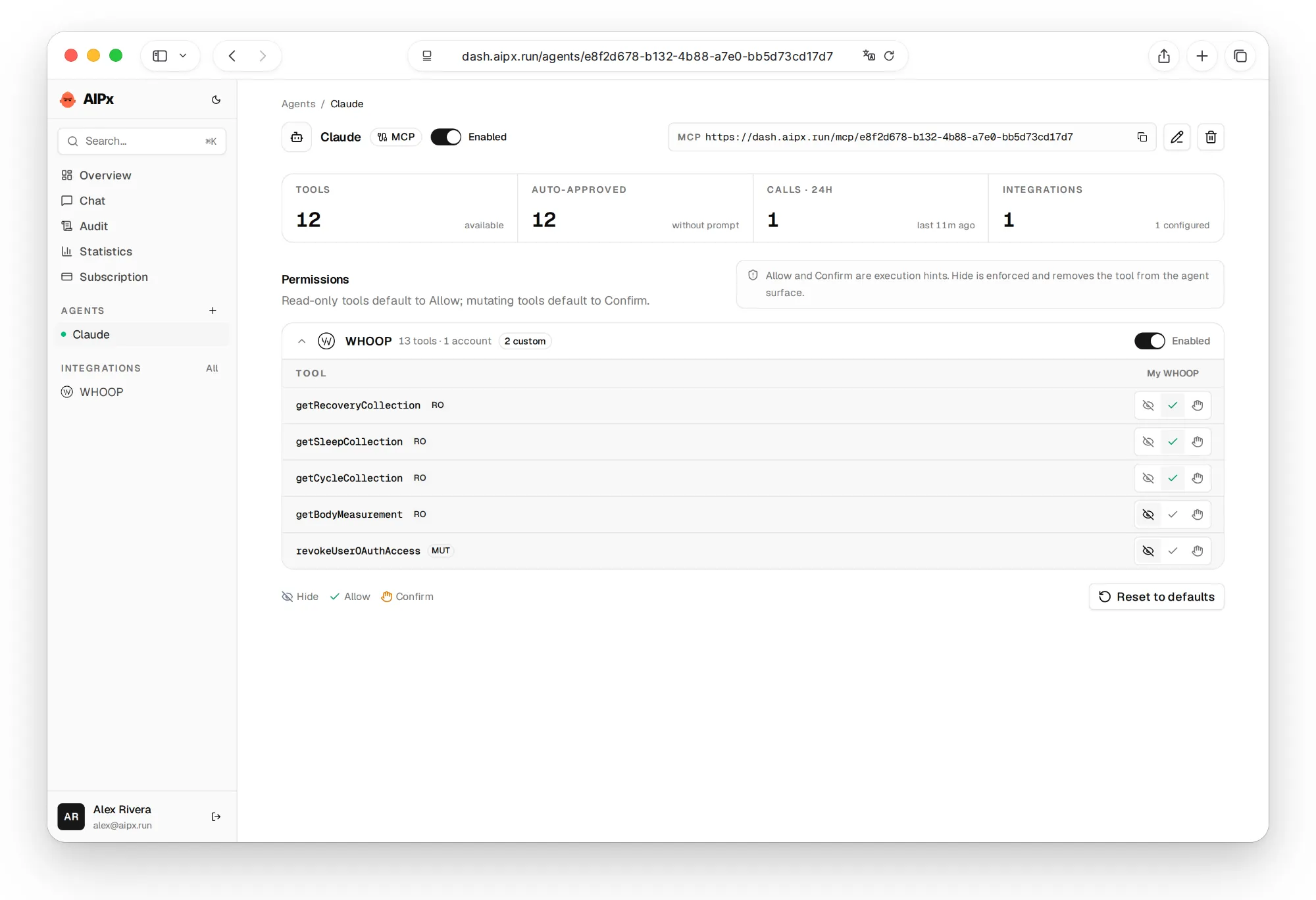
Your coding agent needs to know you slept four hours, not what you weigh. Pair the training agent with Hevy MCP integration, and give a planning agent Google Calendar MCP, Apple Calendar integration or Things 3 integration to move heavy work to high-recovery days.
Hide revokeUserOAuthAccess, don’t Confirm it. Confirm is a hint the client must respect; AIPx doesn’t pause the call. Keep reads on Allow, since a quarter of data is four paginated calls. More on per-tool MCP permissions. Free covers 3 accounts and 1 agent (AIPx Free and Pro plans).
WHOOP API limits your agent will hit
WHOOP returns at most 25 records per call and allows 100 requests a minute. At 7am today’s recovery may still be PENDING_SCORE, so ask the agent to say if it’s pending. SpO2 and skin temperature need WHOOP 4.0 or newer.

What to ask your agent
WHOOP becomes useful when an agent compares signals instead of repeating a single score. These prompts give it a concrete time window and decision to support:
FAQ
Can I connect WHOOP to Claude?
Yes. Connect WHOOP in AIPx with OAuth, create an MCP agent and copy its URL. Add it as a custom connector in Claude when your account permits, or use claude mcp add and /mcp in Claude Code. Claude MCP setup explains client access.
Is there an official WHOOP Claude integration or WHOOP MCP server?
No. WHOOP publishes a REST API, not an MCP server. AIPx wraps that official API with WHOOP's own OAuth.
Can Claude change or delete my WHOOP data?
No. All scopes are read-only and the API has no endpoints for writing data. The one write tool only revokes AIPx's token, and we hide it.
Do I need a WHOOP developer account or API key?
No. AIPx uses its own registered WHOOP OAuth client. Self-hosted servers make you manage a Client ID and Secret.
Which WHOOP data can the agent read?
Profile, body measurements, cycles with strain, recovery with HRV and resting heart rate, sleep stages, and workouts with heart-rate zones.